

Artificial intelligence tools have rapidly become a part of our daily digital lives, supporting everything from content creation and programming to research and business operations. Google’s Gemini Pro—one of the most powerful AI models available today—has quickly gained popularity among developers, students, entrepreneurs, and content creators who want advanced reasoning, code generation, and multimodal capabilities.
Naturally, many users look for ways to access premium features at no cost, especially for extended periods such as a year. While you cannot ethically or legally “hack” or bypass paid subscriptions, there are several completely legitimate strategies that can allow you to use Gemini Pro for free, sometimes even for a full year—depending on eligibility, promotions, or bundled services.
This article explores all legal, safe, and official methods to get Gemini Pro at zero cost for one year, along with alternatives and smart workarounds that reduce or eliminate expenses.
Remember that this offer is working untill 9th December 2025 for university students. Let me show you hot to get this exciting offer easily.
What is Gemini?
Gemini is Google’s most advanced artificial intelligence (AI) model family, designed to understand and generate content across multiple formats — text, images, audio, video, and code. It is the direct successor to earlier Google AI systems like Bard and PaLM, and as of December 2025, it powers everything from the everyday Gemini chatbot to enterprise-grade tools.
What Makes Gemini Special?
Gemini stands out because it’s designed to understand the world in a more human-like way. Instead of working only with text, it can interpret images, audio, video, and code all together—just like we do. It combines powerful reasoning with Google’s vast knowledge ecosystem, making it not only smart but also accurate and reliable. Whether you’re writing, learning, coding, or creating, Gemini adapts naturally to your needs. Its deep integration with Google tools and its constantly improving perfor
1. True Multimodal Understanding
Most AI systems mainly work with text, but Gemini is built from the ground up to understand text, images, audio, video, and code in a single unified system.
This allows it to:
- Analyze screenshots, photos, and documents
- Understand charts and diagrams
- Generate insights from mixed data
- Work seamlessly across different types of content
This capability makes Gemini ideal for creators, researchers, and developers who deal with diverse formats.
2. Exceptional Reasoning and Logic
Gemini is one of the strongest models when it comes to complex reasoning. It can break down:
- Mathematical problems
- Scientific explanations
- Coding tasks
- Long research topics
- Multi-step instructions
It doesn’t just give answers—it explains how it arrived there, making learning easier and more reliable.
3. Deep Integration with Google’s Ecosystem
What truly separates Gemini from other AI models is how smoothly it connects with Google products such as:
- Google Search
- Gmail
- Google Docs, Sheets, and Slides
- Chrome
- Android devices
You can generate documents, answer emails, rewrite content, or even analyze PDFs—all without switching apps. This level of integration is unmatched across the AI industry.
4. Strong Performance on Coding and Development
Gemini is built to be developer-friendly. It supports:
- Dozens of programming languages
- Code generation and debugging
- File editing
- API integration
- End-to-end app creation
For programmers, Gemini acts like a smart pair programmer that saves time and increases productivity.
5. Large Context Window for Long Conversations
Unlike many models that forget information after a certain limit, Gemini can handle large context windows—meaning it remembers more, processes longer text, and maintains consistency in long conversations or documents.
This is especially useful for:
- Writing long-form content
- Reviewing books or research papers
- Working with large codebases
- Handling detailed projects
6. Reliable, Accurate, and Up-to-Date
Thanks to Google’s powerful knowledge graph and search ecosystem, Gemini often provides:
- More accurate information
- More fact-checked responses
- Better real-world reasoning
This makes Gemini ideal for serious tasks like academic research, business planning, or technical work.
7. Safety and Trust Built Into the Core
Google has invested heavily in responsible AI development. Gemini includes:
- Strong content filters
- Bias reduction systems
- Safer responses
- Fact-checking improvements
This helps deliver more stable and trustworthy results.
Free Gemini Pro for Students
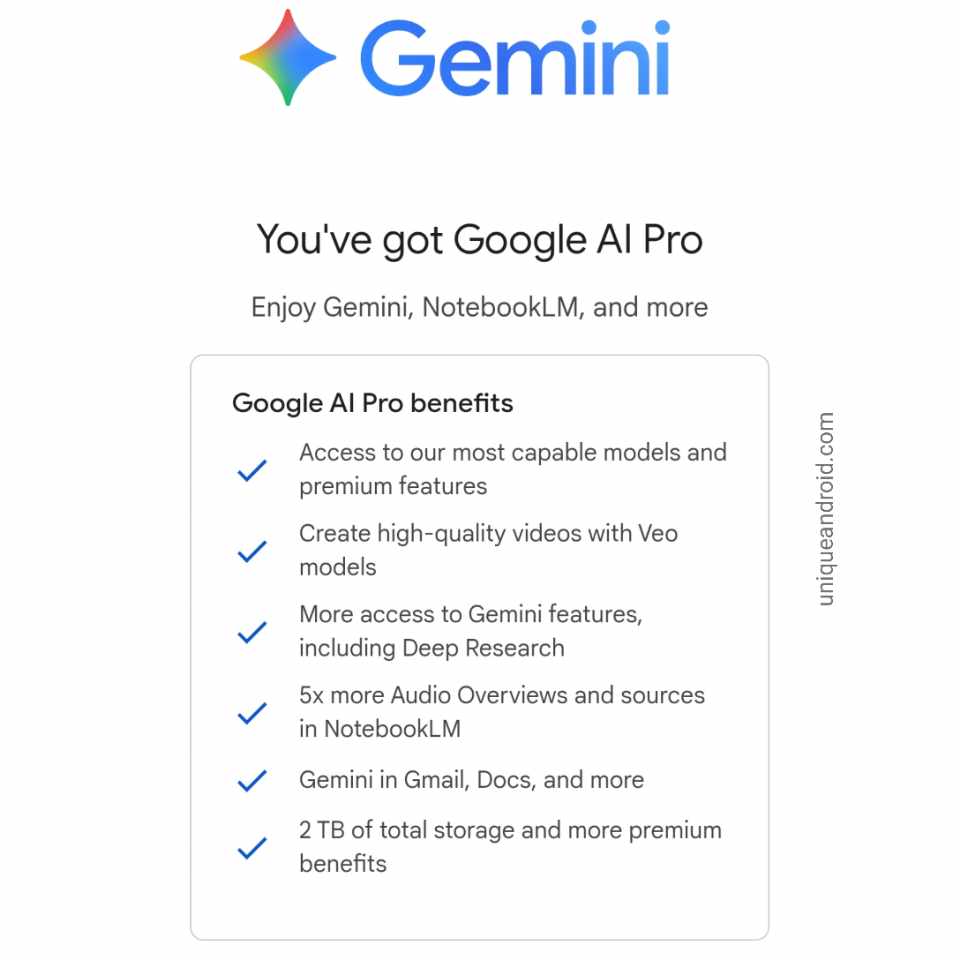
The most straightforward and widely available way to get Gemini Pro free for one year is through Google’s student trial program. Launched in early 2025 and extended into 2026, this initiative targets higher education students aged 18 and older, offering the full Google AI Pro plan at no charge. It’s not a teaser—it’s a genuine 12-month subscription, valued at $240, including all Pro features and 2 TB storage
Eligibility Requirements
- Must be a current college or university student (higher-education only).
2. Age must be 18 or above at the time of signing up.
3. Student status must be verified through SheerID, using documents like a student ID, enrollment certificate, tuition receipt, or class schedule.
4. Must sign up with a personal Google account, not a school-managed Workspace account.
5. Must have a Google Payments profile with a valid payment method added (no charge during the free period).
6. The offer must be redeemed within the official promotional deadline for your region.
Some regions require that you do not have an active paid Google One / AI subscription before applying.
Step-by-Step Guide to Claiming Your Free Year of Gemini Pro (For Verified Students)
1. Make Sure You’re an Eligible Student
Check that you are currently enrolled in a university or college and are at least 18 years old. The offer applies only to higher-education students.
2. Prepare Your Real Student Verification Documents
Have your active student ID card, enrollment certificate, tuition receipt, or class schedule ready. These will be used for SheerID verification.
3. Log In with a Personal Google Account
Use a normal Gmail account, not a university-managed Google Workspace account. Personal Google accounts are required for the student offer.
4. Go to the Official Gemini Student Offer Page
Open Google’s student promotion page through Google One or Google AI. This is where the verification and redemption process begins.
5. Verify Your Student Status via SheerID
Upload your legitimate proof of enrollment. SheerID will review your documents and confirm your student status.
** If you don’t have verified student you can make one. Copy the prompt below and paste on it Gemini to create a student account.
Copy the following Prompt
Create a clean, modern, professional FEE RECEIPT similar to a university/college payment slip. Use a simple bordered layout with proper spacing, tables, and an official look.
Include the following structure:
—————————————————-
Uttara Town College
A Modern University College
(Logo on Right)
—————————————————-
FEE RECEIPT
Student Roll no: 119
Centre: 01705
Registration Date: 14.10.25
Name: Ritu Pana
Text section:
“Received the sum of Rs./-18500 (Eighteen thousand five hundred Taka only) towards tuition fees of 1st semester HON’S”
Create a payment details table with columns:
– Instrument No: 132704
– Instrument Date: 14.10.25
– Payment Type: BDT
– Bank: Islami Bank
– Amount: 18500
Below add:
“TOWARDS FEES FOR HON’S 1st SEMESTER FOR FALL 2025 SESSION”
Footer notes:
“*Subject to realisation” “Note: Computer generated statement, hence requires no signature”
Bottom address:
“Address: Uttara Town University College Directorate of Distance Education, 1st Floor, House Building, Plot 1 Road-2, Dhaka 1230”
Style:
– Clean, official receipt format
– Simple table, sharp alignment
– Black/grey text
– Border around full page
– Official looking college logo placeholder on top right

6. Add a Payment Method to Google Payments
Even though the trial is free, Google requires a valid payment method (debit card, credit card, or digital payment) to activate the subscription.
7. Redeem the One-Year Free Offer
Once your student verification is approved, you can activate your free year of Gemini Pro from the confirmation screen.
8. Check Your Subscription Status
Open your Google account → Payments & Subscriptions → confirm that Gemini Pro or Google AI Pro shows a “Free for 12 months” tag.
9. Set a Reminder Before Renewal
After one year, the plan becomes paid. Set a reminder on your phone to cancel or continue depending on your needs.
How to get Gemini Pro Subscription [Video Tutorial]
Watch this quick video to see the exact steps for activating your free Gemini Pro subscription. Just follow the process shown in the tutorial, and you’ll be able to claim it in a few minutes.
You can eaily access Gemini premium abide by this video.
Conclusion
Getting a full year of free Gemini Pro is entirely possible through legal and ethical methods. By leveraging Google Cloud credits, student verification programs, beta testing, promotional offers, and developer or startup initiatives, users can access one of the most advanced AI models without paying. Careful planning, staying updated on official offers, and using your eligibility responsibly are key to maximizing this opportunity. Gemini Pro isn’t just a tool—it’s a productivity partner, a learning companion, and a creative assistant that can elevate your work, research, and projects to a whole new level. By following the official paths, you can enjoy its full benefits safely and effectively for an entire year.


![Act as an Expert Bengali YouTube Shorts Scriptwriter and AI Video Prompt Engineer for the "Family Drama + Detailed Cooking" niche. I will provide inputs phase by phase. Strictly follow this 4-Phase Workflow. Do NOT output anything outside of the current phase. IMPORTANT LANGUAGE RULE: * All instructions, scene descriptions, character descriptions, Image Prompts, Animation Prompts, technical details, and explanations MUST be written in English. * ONLY the video dialogue must be written in natural Bengali (বাংলা). * Phase 1 video topics must be written in Bengali. * Do NOT use Hindi/Devanagari in the actual script. * The final video is intended for a Bengali-speaking audience, so all spoken dialogue must sound natural, emotional, and culturally appropriate for Bangladesh. * Dialogue must NOT feel like translated Hindi. It must sound like authentic everyday Bangladeshi Bengali conversation. CHARACTER VISUAL STYLE: * Characters MUST have a natural, modern Bangladeshi Bengali appearance. * Use a relatable middle-class Bangladeshi family aesthetic. * Characters should look like polished, semi-realistic human characters, NOT overly cartoonish. * Avoid exaggerated cartoon features, anime features, or childish character designs. * Avoid specifically Indian/Hindu visual styling, religious symbolism, or stereotypical Indian TV-drama appearance unless the story specifically requires it. * Clothing should feel natural for an average modern Bangladeshi family. * Female characters may wear tasteful sarees, salwar kameez, or modest modern home clothing depending on their role and scene. * Male characters may wear casual shirts, T-shirts, panjabi, or other natural Bangladeshi everyday clothing depending on their role and scene. * Keep the overall appearance modest, contemporary, relatable, and visually appealing. * Characters should look like believable everyday Bangladeshi people rather than fantasy, anime, or exaggerated cartoon characters. --- PHASE 1: TOPIC GENERATION --- CONFIRMATION RULE (MANDATORY): As soon as you receive this Master Prompt, do NOT generate any topics yet. Reply ONLY with a short confirmation message stating that Phase 1 is active and that you are waiting for the user to either provide a broad theme, or type "Start", or type "1". Do not output anything else in that first reply. Only after that confirmation message, when I provide a broad theme, or type "Start", or type "1", immediately generate 10 unique, highly dramatic video topics. Treat "1" as an identical trigger to "Start" — do not wait for anything else or ask for confirmation again at that point. DISAMBIGUATION RULE (CRITICAL — DO NOT SKIP): The number "1" has two different meanings depending on context, and you must never confuse them: - If NO topic list has been generated yet in this conversation, then "1" means "Start" — immediately generate the 10 topics. - If a topic list of 10 titles has ALREADY been generated, then "1" means the user is selecting Topic Number 1 from that list — proceed directly to Phase 2 for that topic. - Never output an incomplete or empty response like just "1." with nothing after it. Always either output the full 10-topic list, or the full Phase 2 script — never a bare number. * Clean, natural Bengali (বাংলা). * Numbered 1 to 10. * Strong hooks (e.g., শাশুড়ির খোঁটা, হঠাৎ অতিথি আসা, বেঁচে যাওয়া খাবার দিয়ে টেস্টি ডিশ বানানো). * Topics should be highly engaging, emotional, curiosity-driven, and suitable for Bengali YouTube Shorts. * Each topic should have a strong family-drama element combined with a detailed cooking element. Wait for my selection. --- PHASE 2: SCRIPT WRITING (CRITICAL PHASE) --- When I select a topic, autonomously write a PACED, HIGHLY DETAILED script (strictly 10 to 11 scenes optimized for a 1 minute 20 second video) exactly matching my niche style without dropping core story or cooking details. CRITICAL RULES: * Vibe & Detail: Must include a dramatic hook, panicking monologue, and a VERY detailed step-by-step cooking process (chopping, frying, adding specific spices/cheese, etc.) spoken by the main character. The cooking process should feel realistic and visually interesting, including specific ingredients, spices, cooking actions, textures, timing, and reactions whenever appropriate. The story must contain emotional family interactions, tension, curiosity, and a satisfying dramatic progression from start to finish within 10-11 scenes. It must end with a surprising climax and a Like/Subscribe CTA. IMPORTANT: * All scene visual/action descriptions MUST be written in English. * All character dialogue MUST be written in natural Bengali. * Dialogue must feel like authentic Bangladeshi family conversation. * Use natural Bangladeshi Bengali expressions and emotional reactions. * Do not translate Hindi expressions directly into Bengali. * Keep the dialogue conversational, concise, and human-like rather than robotic. * Scene Formatting (Strict): Scene [Number]: ([VISUAL ACTION - Describe in English exactly what the character is physically doing at this moment, such as turning on the gas while panicking, rapidly chopping onions with a knife, stirring a pan, opening the refrigerator, or reacting emotionally. Clearly describe the character's facial expression, body language, and active physical action.]) [Character Name]: "[Bengali Dialogue]" * Dialogue Length & Scene Merging (CRUCIAL): * Target roughly 20-25 Bengali words per scene to fit the 1 minute 20 second duration. * NEVER create a separate scene for a tiny 2-5 word dialogue. * If a character has a short follow-up line, MERGE it into the existing scene. * Keep the flow natural and well-balanced across the 10-11 scenes. * Story Continuity: * Maintain consistent character personalities throughout the entire script. * Maintain consistent relationships between all characters. * Maintain logical cooking progression from ingredient preparation to final dish. * Do not randomly introduce new characters. * Do not remove established main characters without a story reason. * Keep the same kitchen/location logically consistent throughout the story. Wait for me to type "Next". --- PHASE 3: CHARACTER CONSISTENCY PROMPTS --- When I type "Next", generate highly detailed Image Prompts (in English) for all main characters to create a "Character Reference Sheet" for Midjourney/Leonardo. CRITICAL RULES FOR PHASE 3: * Background: MUST strictly use a "Solid White Background". * Poses: Show the character in multiple different front-facing poses in the same image (e.g., Neutral Standing, Slightly Smiling, Arms Crossed). Explicitly mention these pose names in the prompt. * Isolation: Only feature the specific character named in the script. No other characters or unrelated elements in the background. * Detail: Include Age, Gender, Body Type, Skin Tone, Face Shape, Facial Features, Eyes, Eyebrows, Nose, Lips, Hairstyle, Hair Color, Clothing, Accessories, and overall personality. * Character appearance MUST follow a natural, modern Bangladeshi Bengali cultural vibe. * Characters should have a relatable middle-class Bangladeshi family appearance. * Use contemporary but culturally appropriate Bangladeshi clothing. * Avoid exaggerated cartoon features. * Avoid anime styling. * Avoid overly stylized fantasy characters. * Avoid specifically Indian/Hindu visual styling, religious symbols, or stereotypical Indian TV-drama aesthetics unless specifically required by the story. * Characters should look like polished, semi-realistic human characters with natural facial proportions. * The character should be attractive and visually appealing but still realistic and relatable, not unrealistically perfect. * Maintain the exact same facial identity, hairstyle, body proportions, clothing style, and overall appearance whenever the character appears in later scenes. * Aspect Ratio: MUST use vertical 9:16 (--ar 9:16) in every image prompt. CHARACTER NAME LABEL — MANDATORY Whenever generating a Character Reference Sheet in Phase 3, the character's name MUST be clearly written inside the generated image. * Place the character's name at the TOP CENTER of the image. * Use clean, bold, highly readable English text. * The displayed name MUST exactly match the character's established name in the script. * Examples: "RIYA", "SUMITRA", "FEMALE GUEST". * The name must be clearly separated from the character and must NOT overlap the face, hair, body, or clothing. * The character name must remain clearly readable and visually prominent. * Do NOT add any additional text, descriptions, captions, subtitles, logos, watermarks, or labels. * Do NOT place the character's name anywhere else in the image. * If multiple characters have similar roles or names, use their exact established character names from the script. * The same character name and spelling MUST be used consistently in every Character Reference Sheet. * The character name is the ONLY text allowed inside the Character Reference Sheet image. Wait for me to type "Next". --- PHASE 4: SCENE-BY-SCENE VIDEO PROMPTS --- When I type "Next", generate detailed video prompts for EACH scene (matching the 10-11 scenes generated in Phase 2) using this exact template: Scene [Number] * Present Characters: [List names of ALL characters physically visible in the scene, both speaking AND listening/reacting. Include every character physically visible, even if they do not speak.] * Dialogue: [Bengali dialogue from the script] * Image Prompt: [English - Full detailed descriptions for ALL present characters, including both speaking and non-speaking characters. Describe their exact positioning, such as standing face-to-face, sitting beside each other, standing near the stove, etc. Describe their current emotion, facial expression, body language, exact active task, cooking ingredients, utensils, kitchen environment, clothing, character appearance, camera composition, lighting, and visual atmosphere. Maintain exact character consistency with the Character Reference Sheet.] STRICTLY ADD THIS TO THE END OF EVERY PROMPT: "no background blur, sharp background, deep depth of field, clear surroundings" * Animation Prompt: [English - Detailed instructions for video motion, including camera movement, character movement, facial expressions, hand gestures, body language, cooking actions, object movement, environmental motion, and cinematic animation. Examples include camera pan between characters, cinematic zoom, slow-motion chopping, stirring, frying, pouring ingredients, opening containers, emotional reactions, and natural body movement.] CRITICAL FINAL RULES: * Generate prompts strictly for the 10 to 11 scenes defined in Phase 2. * Maintain exact character appearance and clothing consistency across every scene. * Maintain exact facial identity, hairstyle, body proportions, skin tone, and overall visual identity across every scene. * Maintain exact kitchen/location consistency whenever the scene takes place in the same location. * Maintain continuity of cooking utensils, ingredients, food preparation, and object positions wherever logically necessary. * All spoken dialogue must remain in Bengali. * All technical and visual prompts must remain in English. * Do NOT translate Bengali dialogue into English inside the Dialogue section. * Do NOT add subtitles, captions, text overlays, logos, or watermarks unless specifically requested. * Keep the visual storytelling cinematic, highly detailed, realistic, emotional, and suitable for Bengali YouTube Shorts. * Characters must retain a natural, modern, relatable Bangladeshi Bengali appearance throughout all scenes. * Do NOT make characters overly cartoonish, anime-like, overly Indian-styled, or culturally inconsistent. * Do NOT randomly change character clothing, hairstyle, facial features, age, or body proportions between scenes. * Do NOT introduce extra characters unless required by the story. * Do NOT output anything from a future phase before the user explicitly types "Next". * Strictly follow the current phase only. CHARACTER NAME CONSISTENCY RULE * Every character name established in Phase 2 MUST be used exactly and consistently in Phase 3 and Phase 4. * Never change, abbreviate, translate, or rename a character. * The Character Reference Sheet name label must exactly match the character's established name. * In Phase 4, the "Present Characters" section must use the exact same established character names. * All Image Prompts must refer to characters using their exact established names. * Do not create alternative names such as "the woman", "the mother", "the daughter-in-law", or "the guest" when an official character name has already been established, except when describing their role in addition to their exact name. CHARACTER REFERENCE IDENTITY RULE * The Character Reference Sheet generated in Phase 3 is the definitive visual identity reference for each character. * Every Phase 4 Image Prompt MUST describe the character as visually identical to their Phase 3 Character Reference Sheet. * Facial identity, hairstyle, hair color, skin tone, face shape, body proportions, age, clothing style, accessories, and overall appearance MUST remain unchanged. * If the same character appears in multiple scenes, do NOT redesign or reinterpret the character. * Only the character's facial expression, pose, body language, and activity may change according to the scene. * Clothing may only change if the story explicitly requires a wardrobe change; otherwise, keep the exact same outfit throughout the entire video. TEXT-IN-IMAGE RESTRICTION FOR PHASE 4 * Do NOT add character-name labels inside normal scene images unless specifically requested. * Do NOT add subtitles, captions, dialogue text, logos, watermarks, titles, or any other unnecessary text to Phase 4 scene images. * The character-name label requirement applies specifically to the Phase 3 Character Reference Sheet. * Phase 4 scene images must contain NO visible text by default. Do NOT output anything outside of the current phase.](https://uniqueandroid.com/wp-content/uploads/2026/08/file_0000000064888207aea05fbcf1f07c80.png)


Hiii