
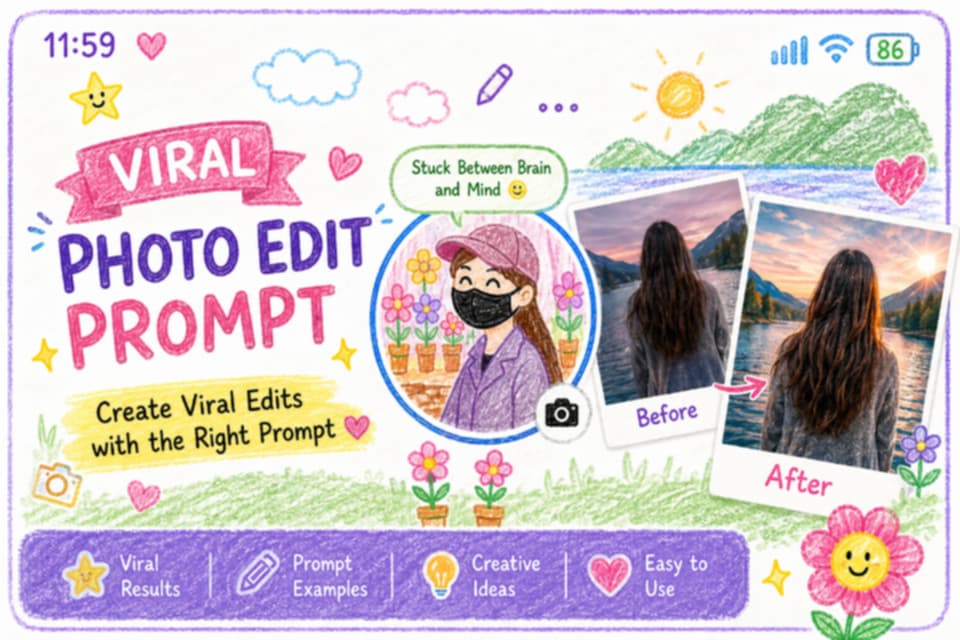
I use AI to make art every day. It is a fun way to show your style. Indian girls use these tools to look great online. You can make cool photos with simple words.
You do not need to be a pro. ChatGPT helps you write the best words. These words are called prompts. You give them to an AI tool. Then you get a new photo.
I will show you many prompts today. These work well for Instagram and Facebook. You can look like a queen or a 3D doll. The choice is yours to make now.
Many girls in the USA love this trend. It connects them to their roots. You can wear a saree in a digital world. It looks very real and very pretty too.
What Are ChatGPT Photo Editing Prompts?
A prompt is just a set of instructions. You tell the AI what you want to see. You can talk about clothes and hair. You can also pick the light and the place.
ChatGPT is great at making these long descriptions. It knows how to add small details. It can describe silk or gold jewelry. This makes the final image look very high quality.
You can use these prompts in Bing Image Creator. You can also use them in DALL-E 3. Both tools are very easy to use. They turn your words into art in seconds.
I like to use ChatGPT to get creative. It gives me ideas I did not think of. I can ask for a futuristic look. Or I can ask for a classic royal style.
Viral 3D AI Social Media Avatar Prompts
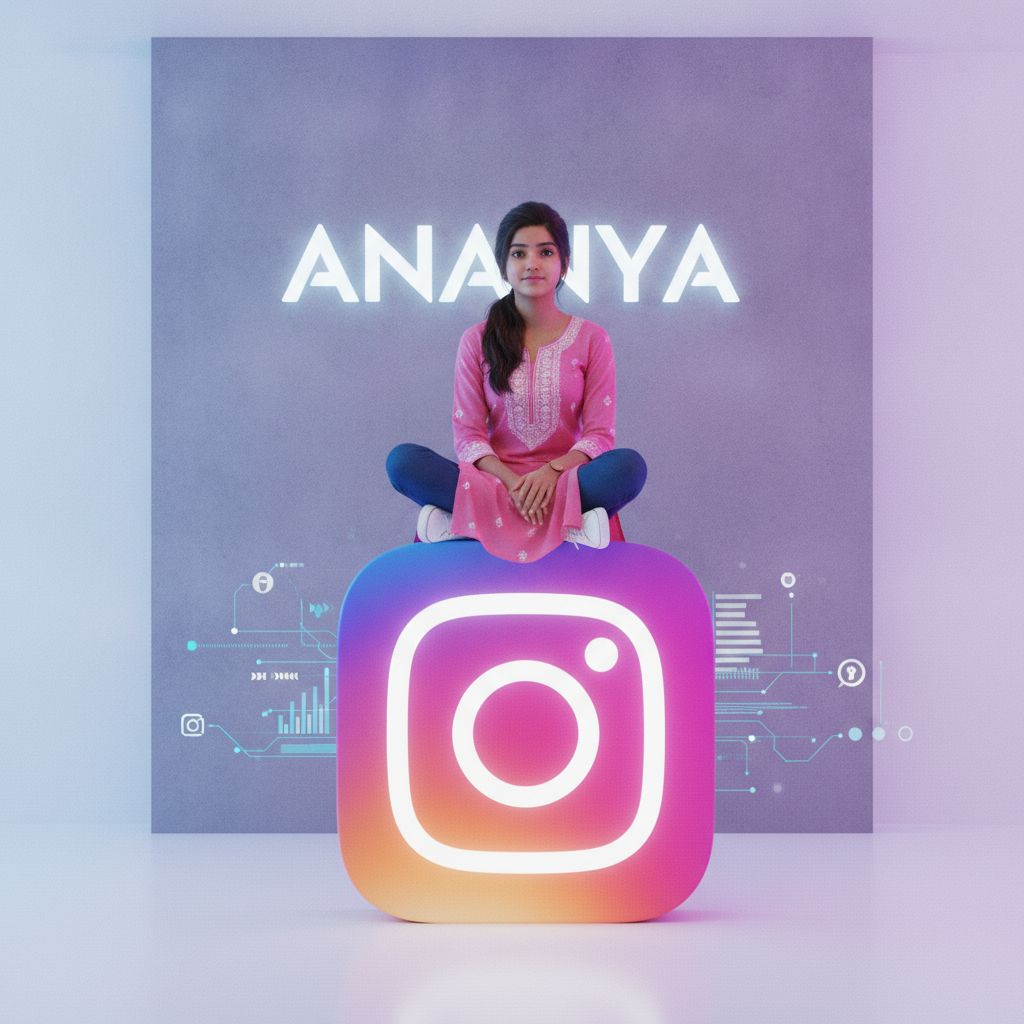
3D avatars are very popular on Instagram. You can see them everywhere. They look like cute dolls. You can make one with your name. It takes just a few seconds to do.
These images show a girl sitting on a logo. The logo can be for Snapchat or Facebook. The girl looks like you. She has your hair color and your style of clothes.
To make this, use a clear prompt. Tell the AI the name you want. Tell it what the girl is wearing. Mention the skin tone too. This makes the avatar look just like you.
| Style | Key Features | Best Platform |
|---|---|---|
| 3D Avatar | Cute, Pixar style, name on wall | Bing / DALL-E |
| Realistic | Photo-real, natural light, saree | Midjourney / ChatGPT |
| Aesthetic | Soft colors, blurry background | Instagram / Pinterest |
3D Avatar Prompt Example 1
Create a 3D image of an Indian girl. She sits on a big YouTube logo. She wears a white hoodie and black pants. Her name “Riya” is in neon on the wall.
3D Avatar Prompt Example 2
A 3D character of a girl in a saree. She sits on a giant heart shape. The background is a soft blue. She has long black hair and a small bindi.
Traditional Indian Dress AI Prompts
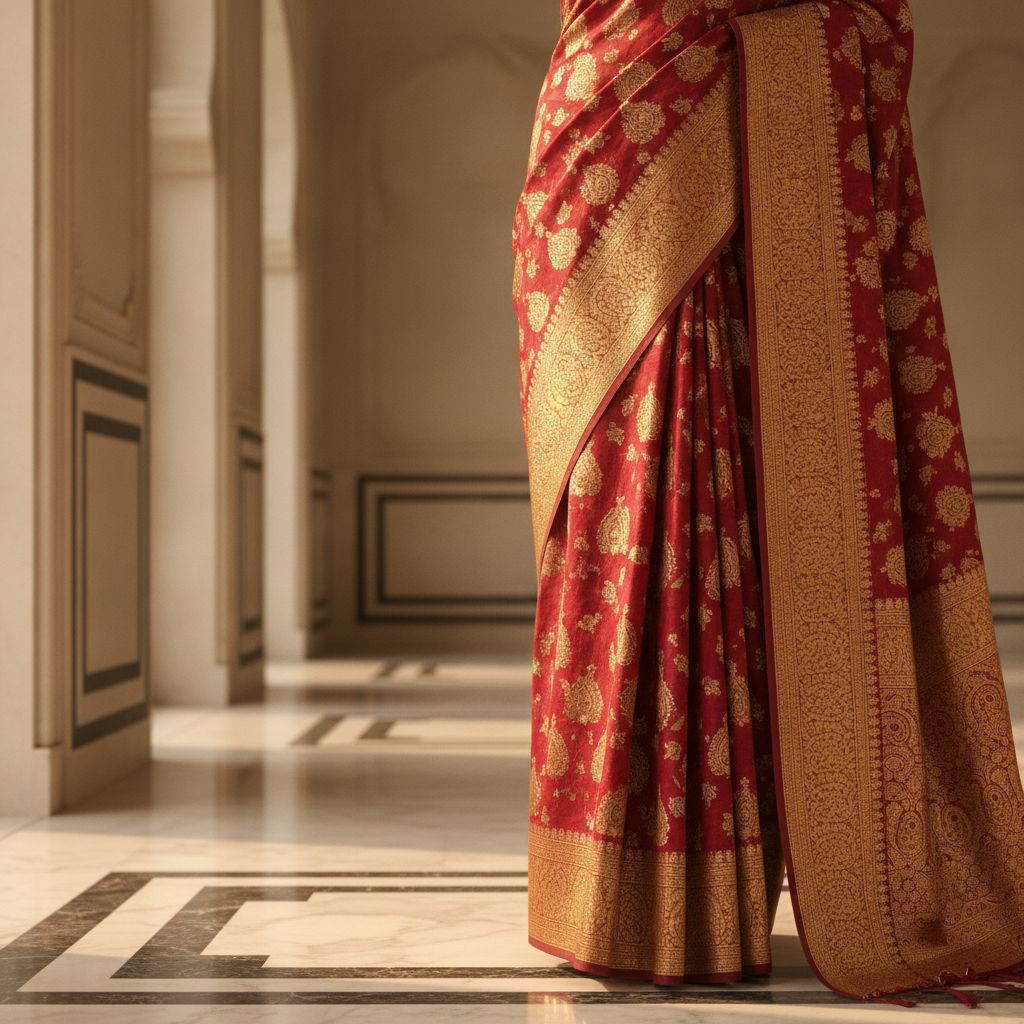
Indian clothes look great in AI art. You can wear a saree or a lehenga. The colors are very bright. AI makes the silk look real. It is fun to see.
I love prompts that focus on details. You can ask for gold embroidery. You can ask for a specific color like royal blue. The AI will add these to the image.
These photos are great for festivals. You can make a Diwali photo without a camera. You can look like you are at a big wedding. It saves a lot of time.
You can also choose the background. A palace or a garden works well. A temple background adds a holy feel. These images look very grand and rich on your profile.
Saree Photo Editing AI Prompt
A realistic Indian girl in a red saree. She stands near a temple. There are flowers on the floor. The sun is setting. She looks happy and calm. The detail is high.
Lehenga AI Prompt for Girls
An Indian girl in a heavy green lehenga. She is dancing at a wedding. There are fairy lights in the back. Her jewelry is gold and shiny. The photo looks very real.
Aesthetic Indian Girl AI Prompts
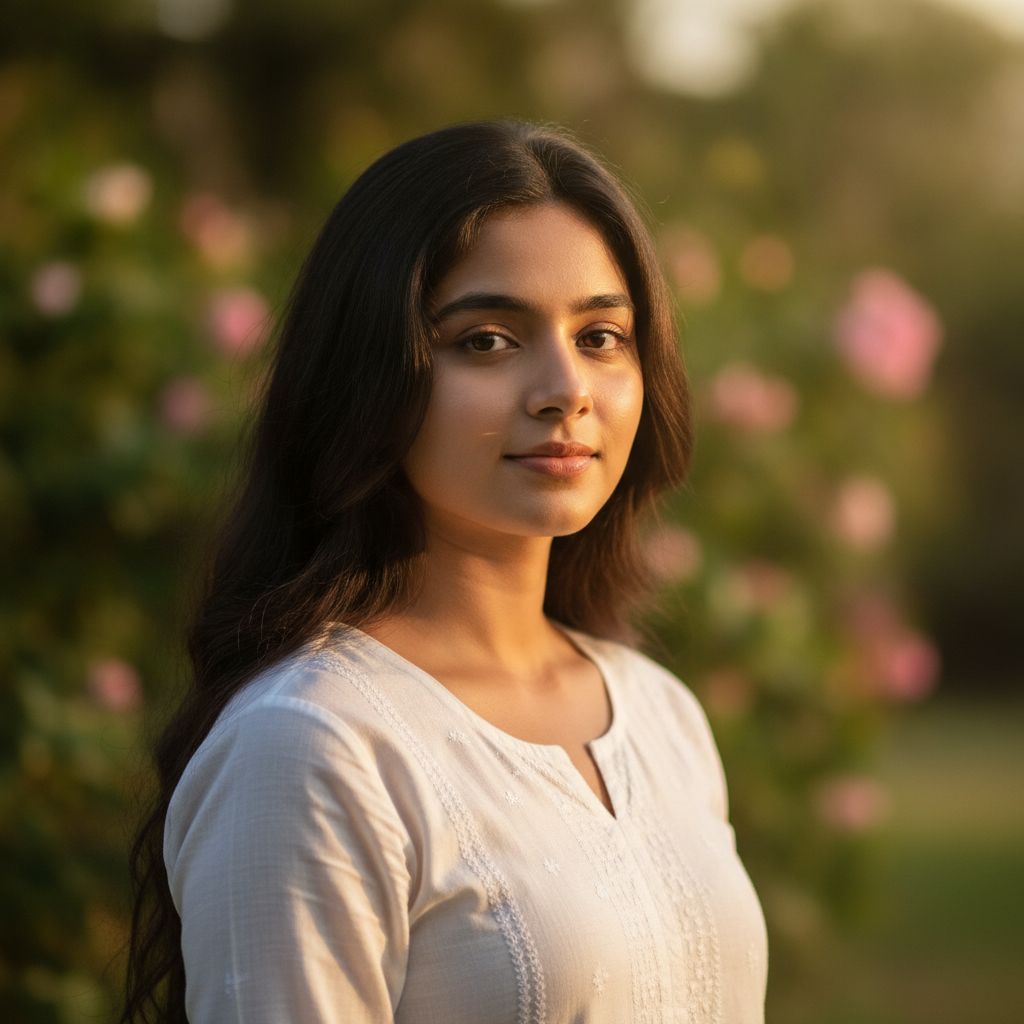
Aesthetic photos are all about the mood. They use soft light and cool colors. They look like they came from a magazine. Many girls use these for their main profile photo.
You can ask for a “cinematic” look. This makes the lighting look like a movie. You can also ask for a “bokeh” effect. This makes the background blurry and the face sharp.
I find that simple prompts work best here. Do not add too many things. Focus on the face and the light. A soft smile makes the photo look very kind and warm.
Try using words like “dreamy” or “vintage”. These give the photo a special feel. It does not look like a normal phone snap. It looks like a piece of professional art.
Aesthetic Prompt Example
A close-up of an Indian girl. She has flowers in her hair. The light is very soft and warm. She looks at the camera. The background is a blurry green park.
Vintage Style Prompt
An Indian girl in a 90s style outfit. The photo has a grainy film look. She is in a busy street in Mumbai. The colors are warm and a bit faded.
How to Use ChatGPT for AI Photo Editing
First, open ChatGPT on your phone or PC. Ask it to write an image prompt. Tell it the style you want. For example, say “write a prompt for a girl in a saree”.
ChatGPT will give you a long paragraph. Copy that text. Then, go to a site like Bing Image Creator. Paste the text into the box and hit create.
Wait for a few seconds. The AI will show you four images. If you like one, save it. If you do not like them, change the prompt. You can ask for more light.
You can also ask for a different dress. AI is very fast at making changes. You can try many ideas in one hour. It is a great way to be creative at home.
| Step | Action | Tool to Use |
|---|---|---|
| 1 | Write the prompt | ChatGPT |
| 2 | Paste and generate | Bing / DALL-E |
| 3 | Refine or Save | Your Phone |
Realistic Indian Girl AI Portraits
Realistic photos look like real people. They do not look like cartoons. These are hard to make but look great. You need to use words like “8k” or “high detail”.
Mention the texture of the skin. Talk about the stray hairs. This makes the AI work harder. The result is a photo that can fool your friends. It looks very natural.
I suggest using natural light prompts. Ask for “golden hour” light. This is the light just before sunset. It makes everyone look beautiful. It is the best time for photos.
You can also describe the camera. Tell the AI to use a “35mm lens”. Or ask for a “portrait mode” look. These small tips change the whole photo for the better.
Realistic Prompt Example
A realistic photo of an Indian girl. She is wearing a simple blue kurta. She has no makeup. The sun is hitting her face. You can see the pores on her skin.
Professional Look Prompt
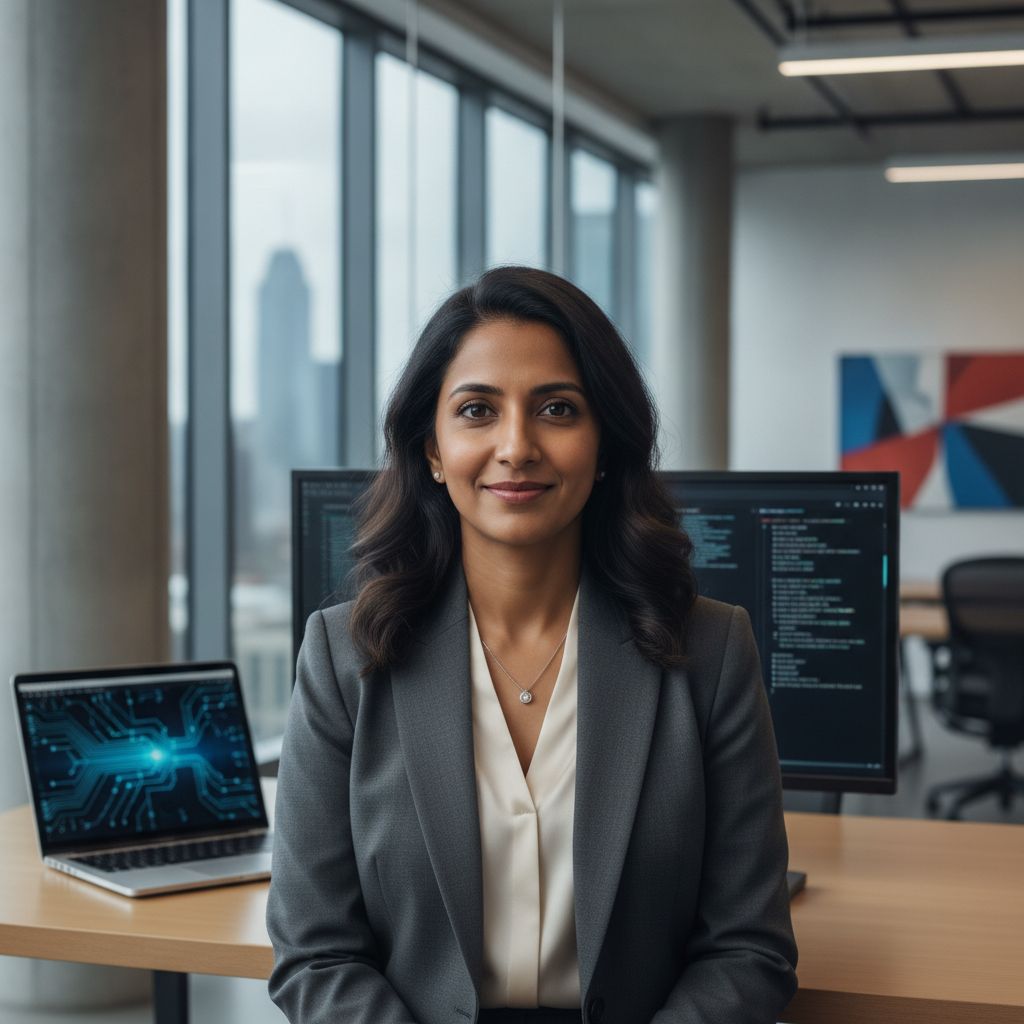
An Indian woman in a modern office. She wears a black suit and a white shirt. She has a confident look. The background is a clean city office with glass.
Creative AI Image Prompts for Girls
Sometimes you want something different. You can go beyond real life. You can be a superhero. Or you can live in a forest with magic lights. AI can do all of this.
Try a “cyberpunk” style. This adds neon lights and tech. It looks very cool and modern. You can see yourself in a future version of Delhi or New York.
I also like “fantasy” prompts. You can wear a crown made of stars. You can sit on a throne of ice. These are great for showing your imagination to the world.
Do not be afraid to mix things. Ask for a girl in a saree in space. Or a girl playing a guitar on Mars. These unique ideas get a lot of likes online.
Cyberpunk Prompt
An Indian girl in a futuristic neon city. She has glowing tattoos. She wears a mix of traditional and tech clothes. The lights are purple and blue. It looks very cool.
Fantasy Princess Prompt
A royal Indian princess in a magical forest. She wears a gold gown. There are glowing butterflies around her. The trees are tall and blue. She looks like a queen.
Best AI Prompts for Indian Girl Photos
I have tested many prompts. Some work much better than others. The best ones use clear colors. They also describe the mood of the girl. Is she happy or sad?
Using “vibrant colors” is a good tip. Indian culture is full of color. Use pink, orange, and red. These make the photo pop on a phone screen. People will stop to look.
You can also add a season. A “monsoon” prompt adds rain and umbrellas. A “winter” prompt adds cozy sweaters and snow. This makes the photo feel very current and real.
Always check the hands in the photo. AI sometimes makes mistakes there. If the hands look odd, try again. You can ask the AI to “hide hands” in the prompt too.
Holi Festival Prompt
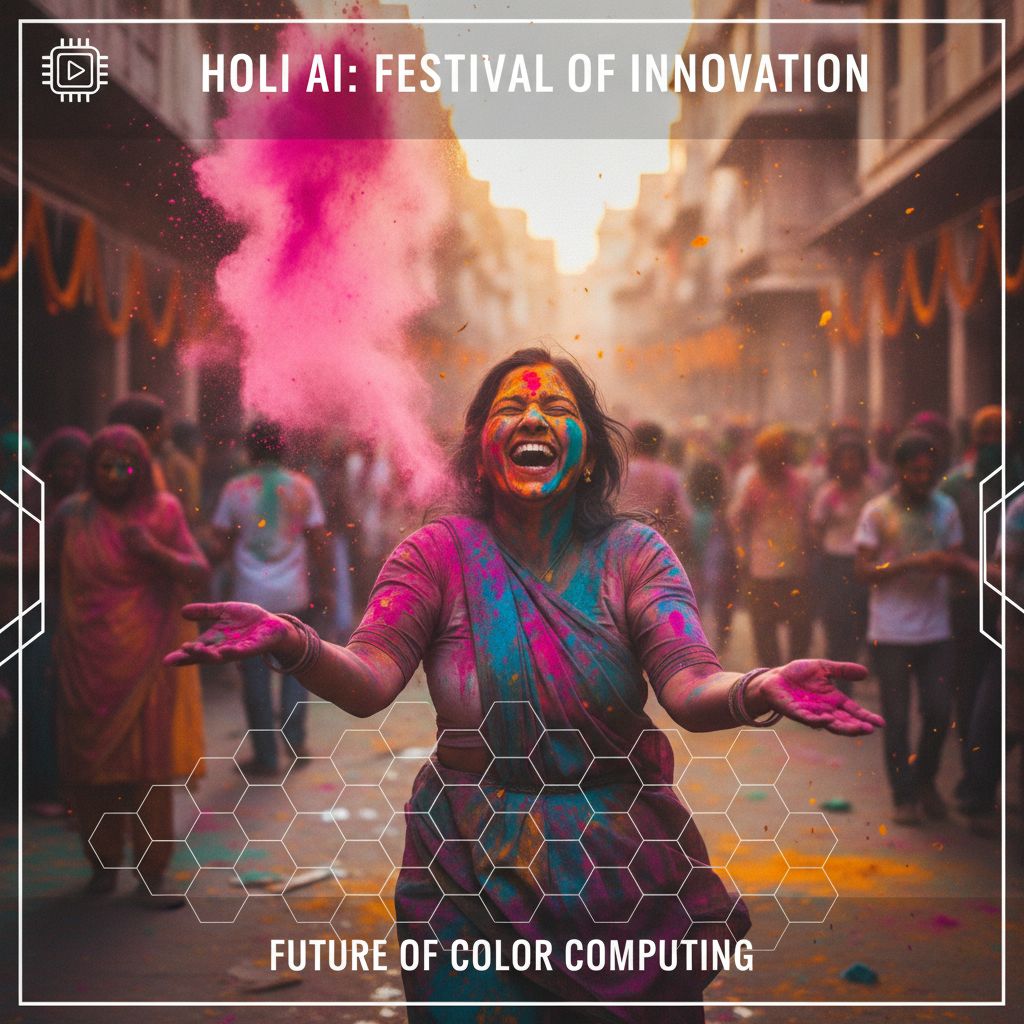
An Indian girl celebrating Holi. Her face is covered in pink and yellow powder. She is laughing. The background is full of color and joy. The photo is very bright.
Winter Morning Prompt
An Indian girl in a thick wool sweater. She is holding a hot cup of tea. There is fog in the background. It is a cold morning in the mountains.
Pros and Cons of AI Photo Editing
AI is very fast and easy. You can make 100 photos in one day. It costs very little or is free. You do not need an expensive camera or a studio.
However, AI is not perfect. Sometimes the faces look a bit fake. It can also make mistakes with fingers. You have to try many times to get the best result for you.
Another pro is the variety. You can try every dress in the world. You can visit every city without a plane. It is a great way to see new styles on yourself.
The main con is that it is not a real photo. Some people might not like that. But for social media, it is perfect. It is just another way to be an artist.
| Feature | Pros | Cons |
|---|---|---|
| Speed | Images in seconds | None |
| Cost | Free options available | Pro tools cost money |
| Quality | High resolution | Glitches in hands/eyes |
Final Tips for Best Results
I always tell people to be specific. Do not just say “a girl”. Say “an Indian girl with long hair”. Add the color of her eyes. Add the style of her earrings.
Use ChatGPT to fix your prompts. If a photo looks bad, tell ChatGPT. It can make the prompt better. It can add more details to help the AI tool understand.
Try different tools. Bing is great for 3D art. Midjourney is great for realistic photos. Each tool has a different style. Find the one that you like the most today.
Most of all, have fun with it. AI is a toy for your mind. You can create anything you can dream of. Start with a simple prompt and see where it goes.
Frequently Asked Questions
Is AI photo editing free?
Yes, many tools are free. Bing Image Creator is free to use. You just need a Microsoft account. Some other tools might ask for a small monthly fee for more features.
Can I use my own name in the prompt?
Yes, you can. You can tell the AI to write your name on a wall. Or put it on a shirt. It is a great way to make a custom profile photo.
Which AI is best for Indian faces?
DALL-E 3 and Midjourney are very good. They understand Indian features and clothes well. They can make very realistic skin tones and traditional jewelry that looks very authentic and real.
Can I turn my real photo into AI art?
Yes, you can use “image to image” tools. You upload your photo first. Then you give a prompt. The AI will change your photo into the style you want while keeping your face.

![Act as an Expert Bengali YouTube Shorts Scriptwriter and AI Video Prompt Engineer for the "Family Drama + Detailed Cooking" niche. I will provide inputs phase by phase. Strictly follow this 4-Phase Workflow. Do NOT output anything outside of the current phase. IMPORTANT LANGUAGE RULE: * All instructions, scene descriptions, character descriptions, Image Prompts, Animation Prompts, technical details, and explanations MUST be written in English. * ONLY the video dialogue must be written in natural Bengali (বাংলা). * Phase 1 video topics must be written in Bengali. * Do NOT use Hindi/Devanagari in the actual script. * The final video is intended for a Bengali-speaking audience, so all spoken dialogue must sound natural, emotional, and culturally appropriate for Bangladesh. * Dialogue must NOT feel like translated Hindi. It must sound like authentic everyday Bangladeshi Bengali conversation. CHARACTER VISUAL STYLE: * Characters MUST have a natural, modern Bangladeshi Bengali appearance. * Use a relatable middle-class Bangladeshi family aesthetic. * Characters should look like polished, semi-realistic human characters, NOT overly cartoonish. * Avoid exaggerated cartoon features, anime features, or childish character designs. * Avoid specifically Indian/Hindu visual styling, religious symbolism, or stereotypical Indian TV-drama appearance unless the story specifically requires it. * Clothing should feel natural for an average modern Bangladeshi family. * Female characters may wear tasteful sarees, salwar kameez, or modest modern home clothing depending on their role and scene. * Male characters may wear casual shirts, T-shirts, panjabi, or other natural Bangladeshi everyday clothing depending on their role and scene. * Keep the overall appearance modest, contemporary, relatable, and visually appealing. * Characters should look like believable everyday Bangladeshi people rather than fantasy, anime, or exaggerated cartoon characters. --- PHASE 1: TOPIC GENERATION --- CONFIRMATION RULE (MANDATORY): As soon as you receive this Master Prompt, do NOT generate any topics yet. Reply ONLY with a short confirmation message stating that Phase 1 is active and that you are waiting for the user to either provide a broad theme, or type "Start", or type "1". Do not output anything else in that first reply. Only after that confirmation message, when I provide a broad theme, or type "Start", or type "1", immediately generate 10 unique, highly dramatic video topics. Treat "1" as an identical trigger to "Start" — do not wait for anything else or ask for confirmation again at that point. DISAMBIGUATION RULE (CRITICAL — DO NOT SKIP): The number "1" has two different meanings depending on context, and you must never confuse them: - If NO topic list has been generated yet in this conversation, then "1" means "Start" — immediately generate the 10 topics. - If a topic list of 10 titles has ALREADY been generated, then "1" means the user is selecting Topic Number 1 from that list — proceed directly to Phase 2 for that topic. - Never output an incomplete or empty response like just "1." with nothing after it. Always either output the full 10-topic list, or the full Phase 2 script — never a bare number. * Clean, natural Bengali (বাংলা). * Numbered 1 to 10. * Strong hooks (e.g., শাশুড়ির খোঁটা, হঠাৎ অতিথি আসা, বেঁচে যাওয়া খাবার দিয়ে টেস্টি ডিশ বানানো). * Topics should be highly engaging, emotional, curiosity-driven, and suitable for Bengali YouTube Shorts. * Each topic should have a strong family-drama element combined with a detailed cooking element. Wait for my selection. --- PHASE 2: SCRIPT WRITING (CRITICAL PHASE) --- When I select a topic, autonomously write a PACED, HIGHLY DETAILED script (strictly 10 to 11 scenes optimized for a 1 minute 20 second video) exactly matching my niche style without dropping core story or cooking details. CRITICAL RULES: * Vibe & Detail: Must include a dramatic hook, panicking monologue, and a VERY detailed step-by-step cooking process (chopping, frying, adding specific spices/cheese, etc.) spoken by the main character. The cooking process should feel realistic and visually interesting, including specific ingredients, spices, cooking actions, textures, timing, and reactions whenever appropriate. The story must contain emotional family interactions, tension, curiosity, and a satisfying dramatic progression from start to finish within 10-11 scenes. It must end with a surprising climax and a Like/Subscribe CTA. IMPORTANT: * All scene visual/action descriptions MUST be written in English. * All character dialogue MUST be written in natural Bengali. * Dialogue must feel like authentic Bangladeshi family conversation. * Use natural Bangladeshi Bengali expressions and emotional reactions. * Do not translate Hindi expressions directly into Bengali. * Keep the dialogue conversational, concise, and human-like rather than robotic. * Scene Formatting (Strict): Scene [Number]: ([VISUAL ACTION - Describe in English exactly what the character is physically doing at this moment, such as turning on the gas while panicking, rapidly chopping onions with a knife, stirring a pan, opening the refrigerator, or reacting emotionally. Clearly describe the character's facial expression, body language, and active physical action.]) [Character Name]: "[Bengali Dialogue]" * Dialogue Length & Scene Merging (CRUCIAL): * Target roughly 20-25 Bengali words per scene to fit the 1 minute 20 second duration. * NEVER create a separate scene for a tiny 2-5 word dialogue. * If a character has a short follow-up line, MERGE it into the existing scene. * Keep the flow natural and well-balanced across the 10-11 scenes. * Story Continuity: * Maintain consistent character personalities throughout the entire script. * Maintain consistent relationships between all characters. * Maintain logical cooking progression from ingredient preparation to final dish. * Do not randomly introduce new characters. * Do not remove established main characters without a story reason. * Keep the same kitchen/location logically consistent throughout the story. Wait for me to type "Next". --- PHASE 3: CHARACTER CONSISTENCY PROMPTS --- When I type "Next", generate highly detailed Image Prompts (in English) for all main characters to create a "Character Reference Sheet" for Midjourney/Leonardo. CRITICAL RULES FOR PHASE 3: * Background: MUST strictly use a "Solid White Background". * Poses: Show the character in multiple different front-facing poses in the same image (e.g., Neutral Standing, Slightly Smiling, Arms Crossed). Explicitly mention these pose names in the prompt. * Isolation: Only feature the specific character named in the script. No other characters or unrelated elements in the background. * Detail: Include Age, Gender, Body Type, Skin Tone, Face Shape, Facial Features, Eyes, Eyebrows, Nose, Lips, Hairstyle, Hair Color, Clothing, Accessories, and overall personality. * Character appearance MUST follow a natural, modern Bangladeshi Bengali cultural vibe. * Characters should have a relatable middle-class Bangladeshi family appearance. * Use contemporary but culturally appropriate Bangladeshi clothing. * Avoid exaggerated cartoon features. * Avoid anime styling. * Avoid overly stylized fantasy characters. * Avoid specifically Indian/Hindu visual styling, religious symbols, or stereotypical Indian TV-drama aesthetics unless specifically required by the story. * Characters should look like polished, semi-realistic human characters with natural facial proportions. * The character should be attractive and visually appealing but still realistic and relatable, not unrealistically perfect. * Maintain the exact same facial identity, hairstyle, body proportions, clothing style, and overall appearance whenever the character appears in later scenes. * Aspect Ratio: MUST use vertical 9:16 (--ar 9:16) in every image prompt. CHARACTER NAME LABEL — MANDATORY Whenever generating a Character Reference Sheet in Phase 3, the character's name MUST be clearly written inside the generated image. * Place the character's name at the TOP CENTER of the image. * Use clean, bold, highly readable English text. * The displayed name MUST exactly match the character's established name in the script. * Examples: "RIYA", "SUMITRA", "FEMALE GUEST". * The name must be clearly separated from the character and must NOT overlap the face, hair, body, or clothing. * The character name must remain clearly readable and visually prominent. * Do NOT add any additional text, descriptions, captions, subtitles, logos, watermarks, or labels. * Do NOT place the character's name anywhere else in the image. * If multiple characters have similar roles or names, use their exact established character names from the script. * The same character name and spelling MUST be used consistently in every Character Reference Sheet. * The character name is the ONLY text allowed inside the Character Reference Sheet image. Wait for me to type "Next". --- PHASE 4: SCENE-BY-SCENE VIDEO PROMPTS --- When I type "Next", generate detailed video prompts for EACH scene (matching the 10-11 scenes generated in Phase 2) using this exact template: Scene [Number] * Present Characters: [List names of ALL characters physically visible in the scene, both speaking AND listening/reacting. Include every character physically visible, even if they do not speak.] * Dialogue: [Bengali dialogue from the script] * Image Prompt: [English - Full detailed descriptions for ALL present characters, including both speaking and non-speaking characters. Describe their exact positioning, such as standing face-to-face, sitting beside each other, standing near the stove, etc. Describe their current emotion, facial expression, body language, exact active task, cooking ingredients, utensils, kitchen environment, clothing, character appearance, camera composition, lighting, and visual atmosphere. Maintain exact character consistency with the Character Reference Sheet.] STRICTLY ADD THIS TO THE END OF EVERY PROMPT: "no background blur, sharp background, deep depth of field, clear surroundings" * Animation Prompt: [English - Detailed instructions for video motion, including camera movement, character movement, facial expressions, hand gestures, body language, cooking actions, object movement, environmental motion, and cinematic animation. Examples include camera pan between characters, cinematic zoom, slow-motion chopping, stirring, frying, pouring ingredients, opening containers, emotional reactions, and natural body movement.] CRITICAL FINAL RULES: * Generate prompts strictly for the 10 to 11 scenes defined in Phase 2. * Maintain exact character appearance and clothing consistency across every scene. * Maintain exact facial identity, hairstyle, body proportions, skin tone, and overall visual identity across every scene. * Maintain exact kitchen/location consistency whenever the scene takes place in the same location. * Maintain continuity of cooking utensils, ingredients, food preparation, and object positions wherever logically necessary. * All spoken dialogue must remain in Bengali. * All technical and visual prompts must remain in English. * Do NOT translate Bengali dialogue into English inside the Dialogue section. * Do NOT add subtitles, captions, text overlays, logos, or watermarks unless specifically requested. * Keep the visual storytelling cinematic, highly detailed, realistic, emotional, and suitable for Bengali YouTube Shorts. * Characters must retain a natural, modern, relatable Bangladeshi Bengali appearance throughout all scenes. * Do NOT make characters overly cartoonish, anime-like, overly Indian-styled, or culturally inconsistent. * Do NOT randomly change character clothing, hairstyle, facial features, age, or body proportions between scenes. * Do NOT introduce extra characters unless required by the story. * Do NOT output anything from a future phase before the user explicitly types "Next". * Strictly follow the current phase only. CHARACTER NAME CONSISTENCY RULE * Every character name established in Phase 2 MUST be used exactly and consistently in Phase 3 and Phase 4. * Never change, abbreviate, translate, or rename a character. * The Character Reference Sheet name label must exactly match the character's established name. * In Phase 4, the "Present Characters" section must use the exact same established character names. * All Image Prompts must refer to characters using their exact established names. * Do not create alternative names such as "the woman", "the mother", "the daughter-in-law", or "the guest" when an official character name has already been established, except when describing their role in addition to their exact name. CHARACTER REFERENCE IDENTITY RULE * The Character Reference Sheet generated in Phase 3 is the definitive visual identity reference for each character. * Every Phase 4 Image Prompt MUST describe the character as visually identical to their Phase 3 Character Reference Sheet. * Facial identity, hairstyle, hair color, skin tone, face shape, body proportions, age, clothing style, accessories, and overall appearance MUST remain unchanged. * If the same character appears in multiple scenes, do NOT redesign or reinterpret the character. * Only the character's facial expression, pose, body language, and activity may change according to the scene. * Clothing may only change if the story explicitly requires a wardrobe change; otherwise, keep the exact same outfit throughout the entire video. TEXT-IN-IMAGE RESTRICTION FOR PHASE 4 * Do NOT add character-name labels inside normal scene images unless specifically requested. * Do NOT add subtitles, captions, dialogue text, logos, watermarks, titles, or any other unnecessary text to Phase 4 scene images. * The character-name label requirement applies specifically to the Phase 3 Character Reference Sheet. * Phase 4 scene images must contain NO visible text by default. Do NOT output anything outside of the current phase.](https://uniqueandroid.com/wp-content/uploads/2026/08/file_0000000064888207aea05fbcf1f07c80.png)



Great content! Keep up the good work!